Mail Privacy Protection On or Off: 58% of 2026 Opens Lie
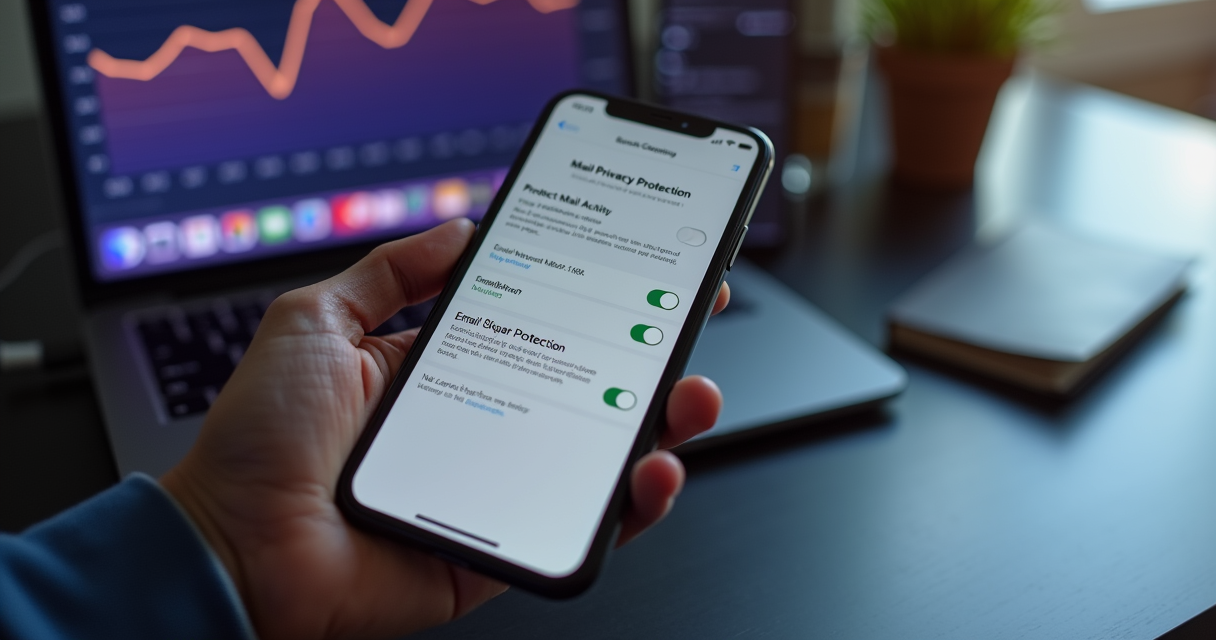
Turning Apple Mail Privacy Protection on or off is the single setting that decides whether an email marketer is reading real engagement or a machine-made mirage. As of July 2026, roughly 58% of all tracked email opens come from Apple Mail, and on nearly every one of them the tracking pixel is fired by an Apple proxy server before a human ever sees the message. Leave MPP on and the sender logs an open that may never have happened. Switch it off and the sender recovers the real signal: whether the email was opened, when, from which IP address, and on what device. For the subscriber, the trade runs the other way. Here is what each choice actually changes, backed by the 2026 numbers.
Mail privacy protection on or off: what the toggle actually decides
Mail Privacy Protection (MPP) is a per-device setting inside Apple Mail, not an account-level switch. When a subscriber updates an iPhone, iPad, or Mac and opens the Mail app for the first time, Apple shows a one-time prompt asking whether to Protect Mail Activity. Choosing to protect turns MPP on. It is opt-in by prompt rather than silent, but the prompt is framed for privacy, so most Apple Mail users accept it. Once on, the setting persists on that device until the user changes it.
The toggle governs two behaviors that Apple bundles together, plus a related IP control. With MPP on, Apple pre-loads all remote images in a message, including the invisible tracking pixel, through its own proxy network, and it masks the recipient IP address. With MPP off, images load only when the human opens the message, and the sender can read the connecting IP. There is also a separate Hide IP Address toggle that a user can leave on even after turning off open protection, which matters if you rely on geolocation.
What leaving MPP on does
For the subscriber, on means Apple hides whether and when they read a message and strips their IP address and location from the sender. For the marketer, on means the open event and its timestamp become fiction, geolocation collapses to a regional proxy, and client detection points at Apple infrastructure rather than the real device. Any workflow that keys off opens, from send-time optimization to re-engagement, inherits that distortion.
What switching MPP off does
Off restores the classic tracking model. The pixel fires when a person actually renders the message, so opens, open timestamps, connecting IP, coarse geolocation, and mail client become trustworthy again for that subscriber. The cost is borne entirely by the reader, who gives up the privacy shield. This is why the decision splits cleanly: privacy-conscious users are told to keep it on, marketers wish it off, and neither side can set the other side device.
How Mail Privacy Protection works, and why it reports false opens
Apple announced MPP at its Worldwide Developers Conference in June 2021 and shipped it with iOS 15, iPadOS 15, and macOS Monterey. It went live at 10 a.m. Pacific on September 20, 2021. The design goal was blunt: sever the link between a marketing email and the recipient device and location.
The mechanism is a proxy pipeline. When MPP is on, Apple Mail does not wait for a human to open the message before loading its images. At an interval Apple deliberately keeps unpredictable, from seconds to a couple of days after delivery, it downloads every remote image in the email, including the one-by-one tracking pixel that email service providers use to register an open, and stores a copy in an Apple privacy cache. Those download requests pass through at least two proxy servers before they reach the sender image host, so the sender sees an Apple IP assigned to the recipient broad region rather than the recipient real address.
The consequence for measurement is direct. The tracking pixel is a one-by-one image that signals an open when it loads. Under MPP, Apple loads it on Apple schedule, for essentially every deliverable message, whether or not the person ever taps the email. Twilio's SendGrid documentation labels these events machine opens and warns that they inflate reported open rates. The open you see is Apple robot, not your subscriber. That single fact is why the on or off question carries so much weight, and why the rest of the industry has spent five years rebuilding its metrics around it.
The 2026 numbers: how big MPP has become
MPP is not a niche distortion. Apple Mail has grown into the dominant email environment, and because MPP is on for a large majority of those users, its machine opens now set the ceiling for how unreliable aggregate open rate has become. According to Litmus email client market share data, Apple Mail accounts for roughly 58% of tracked opens heading into 2026, up from about 46% in 2020 and 49.8% at the end of August 2021, the month before MPP launched.
The pixel-level view is starker still. Validity, which operates the Everest deliverability platform, measured that MPP represented the large majority of all pixel-firing events across 2024, and that senders with Apple-dominant lists saw reported open rates run well above verified engagement.
Validity's 2024 analysis of its partner network found that Apple Mail Privacy Protection accounted for 73.11% of all tracking-pixel firings between January and August 2024, and that Apple April 2024 change to pre-fetch timing measurably moved reported open rates even though no human behavior had changed. Source: Validity.
Adoption has held steady to rising since. In its May 2025 market-share report, Litmus found MPP-affected opens exceeded half of all opens, and by 2025 roughly 64% of subscribers on typical business-to-consumer lists were opening on an MPP-capable version of Apple Mail. The direction of travel runs one way. The table below tracks the climb.
| Period | Metric | Value |
|---|---|---|
| 2020 | Apple Mail share of opens | ~46% |
| August 2021 (pre-MPP) | Apple Mail share of opens | 49.8% |
| September 20, 2021 | MPP launches with iOS 15 | Opt-in prompt |
| July 2022 | Apple Mail share of opens | ~57% |
| Jan to Aug 2024 | MPP share of pixel firings (Validity) | 73.11% |
| 2025 | B2C subscribers on MPP-capable Apple Mail | ~64% |
| Early 2026 | Apple Mail share of tracked opens (Litmus) | ~58% |
Read the table as a warning about averages. If 58% of your opens are fired by Apple and a further slice comes from Google image caching, the blended open rate on a mixed list is mostly noise. The only way to recover signal is to segment by mail client and treat Apple Mail opens as unverifiable, which is exactly what the mature email teams profiled in the Litmus State of Email 2026 report now do.
MPP on vs off: a side-by-side for marketers and users
Because the setting bundles pixel pre-fetching with IP masking, the on or off choice changes a specific list of data points at once. The comparison below is written from the sender side, since that is where the measurement damage lands, with the subscriber privacy outcome noted in the final row. Nothing here requires the subscriber to open or ignore the email. The difference exists the moment the message is delivered.
| Signal or workflow | MPP ON | MPP OFF |
|---|---|---|
| Open event | Fires automatically via Apple proxy | Fires only on real human render |
| Open timestamp | Apple cache schedule, not the reader | Actual moment of opening |
| IP address | Masked to a regional Apple proxy IP | Real connecting IP visible |
| Geolocation | Coarse region only | City-level, from the real IP |
| Mail client and device | Reported as Apple proxy | Real client and device |
| Send-time optimization | Poisoned by machine opens | Reliable |
| Re-engagement and sunset logic | Everyone looks active | Genuine inactivity visible |
| Subject-line A/B test on opens | Statistically meaningless | Valid |
| Deliverability diagnosis via open dip | Blinded | Works |
| Subscriber privacy | Fully protected | Not protected |
The pattern in the table explains the standoff. Every row that helps the marketer requires MPP off, and every row that helps the reader requires MPP on. Because the setting lives on the subscriber device, the marketer never gets a vote. That is the strategic point most teams miss when they ask how to turn MPP off: you cannot, at scale, and building a program that assumes a certain share of Apple opens will always be fabricated is the only durable response. The rest of this analysis assumes that reality rather than fighting it.
Why open rate is finished as a KPI in 2026
The practical verdict is in. The Litmus State of Email 2026 report finds that only 15% of email marketers still treat open rate as their primary success metric, down from a clear majority a few years ago. The teams that moved fastest did so because the alternative is self-deception: when a machine inflates a list open rate, every downstream decision built on that number degrades. Validity data quantified the gap, with Apple-dominant senders seeing reported opens run 18 to 32 percentage points above verified engagement.
Jaina Mistry, who leads content and email marketing at Litmus, points out that losing the open signal costs marketers more than a vanity metric. It removes an early-warning system that used to flag inbox problems before revenue moved.
“Years back, when we had issues with Gmail deliverability, it was only something we were able to identify and diagnose because of open rate decline in that specific ISP.” Jaina Mistry, Litmus, on what MPP takes away.
Once you accept that Apple Mail opens are unverifiable, a specific set of everyday workflows stops working. The most common casualties:
- Audience segmentation by last-open date, which now flags active Apple users as dormant and dormant ones as active
- Automated flows and journeys triggered by an open, which fire for machines and stall for humans
- Send-time optimization models, which train on Apple cache schedule instead of reader behavior
- Subject-line A/B tests judged on opens, which reward the variant Apple pre-fetched, not the one people preferred
- Sunset and re-engagement policies, which cannot find the truly inactive when everyone looks engaged
- Deliverability diagnosis, which historically used an open-rate dip at one mailbox provider as the first symptom of an inbox problem
Each of these can be rebuilt on click and conversion data, but only if the team first admits the open number is dead. Holding on to it is the expensive choice.
iOS 26 and the second wave: link tracking and AI inbox categories
MPP was the first hit to email measurement. In 2026 it is no longer the only one. Apple has layered two further changes that erode the metrics marketers fell back on after opens broke, and both are now shipping in the iOS 26 cycle that is current this year.
The first is Link Tracking Protection. Starting in iOS 17 and expanded since, Apple strips common tracking parameters, including utm_ tags, gclid, and dclid, from links opened in Mail, Messages, and Safari private browsing. Marketers who leaned on click-to-open rate as the honest replacement for open rate now find that click attribution itself is degraded when Apple rewrites the destination URL. MarTech analysis of the 2025 and 2026 Apple and Google updates flags attribution, tracking fidelity, and segmentation as the three areas taking the damage.
The second is inbox categorization. With Apple Intelligence, Apple Mail now sorts incoming messages into Primary, Transactions, Updates, and Promotions, a change that began rolling out with iOS 18.2 in December 2024 and expanded across devices through 2026. Anything Apple files as Promotions or Updates loses Primary-inbox visibility before the recipient decides anything. Combined with AI-generated previews that can replace a marketer preheader, the inbox itself now mediates whether a message is seen at all.
The compounding effect is the real story. Opens were already unreliable, and now the click signal is being trimmed and visibility is being rationed by an algorithm. This is why 2026 is a measurement reset rather than a tweak. Teams that treated MPP as a one-time nuisance in 2021 are discovering that Apple privacy roadmap is continuous, and that first-party data is the only foundation Apple cannot rewrite. Building that foundation is where marketing automation and consented data capture now earn their keep.
The compliance stakes: GDPR, CAN-SPAM, and consent
The on or off debate is not only about analytics. It sits on top of a compliance regime that has grown more expensive, and the two interact. If you can no longer trust opens to prove engagement, you cannot use opens to justify keeping a subscriber on the list, which raises the stakes on getting consent and suppression right at the point of capture.
The numbers are not trivial. Under the CAN-SPAM Act, the Federal Trade Commission can assess civil penalties on a per-email basis, and after the inflation adjustment effective January 17, 2025, the ceiling is $53,088 for each offending message. In the European Union, Article 83 of the GDPR caps the most serious violations at 20 million euros or 4% of global annual turnover, whichever is higher. Those figures make accurate, documented consent a financial control, not a formality.
The compliance checklist that matters in a post-open world:
- Capture explicit, logged consent at signup, with a timestamp and source you can produce on demand
- Never pre-check the consent box, which the EU Court of Justice ruled invalid in the Planet49 case
- Honor one-click unsubscribe under RFC 8058, now mandatory for bulk senders at Gmail, Yahoo, and Microsoft
- Keep spam-complaint rates under the 0.3% threshold Gmail enforces, since you can no longer lean on opens to spot a reputation problem early
- Suppress by real engagement signals such as clicks and conversions, not machine opens
- Segment Apple and non-Apple audiences so consent and engagement records stay auditable
Getting this right at the top of the funnel is cheaper than any penalty, which is why serious teams treat lead capture and consent as a compliance system rather than a growth shortcut.
What to measure instead: the post-open metric stack
Killing open rate as a KPI is only useful if something better replaces it. The metrics that survive MPP share one property: they require the subscriber to do something a proxy server cannot fake. A machine can load a pixel. It cannot buy a product, fill a form, or generate revenue. That is the line the 2026 metric stack is built along.
Email still earns roughly $36 for every dollar spent, according to the Litmus State of Email 2026 data, so the channel is worth measuring correctly rather than abandoning. The replacement metrics, in rough order of reliability:
- Conversions and revenue per email sent, the truest measure of whether a campaign worked
- Unique human clicks, filtered for Apple pre-fetch and security-scanner bots
- Click-to-open rate, useful only after you exclude machine opens from the denominator
- List churn and unsubscribe rate, which expose fatigue that inflated opens hide
- Subscriber lifetime value, tying email back to retained revenue rather than activity
- Reply rate and direct responses, hard for automation to counterfeit
- Deliverability and inbox placement, measured with seed lists rather than opens
The mechanics matter as much as the metric. Because Apple and Google now strip URL parameters and cache clicks, first-party and server-side measurement have moved from best practice to baseline. That means tagging destination pages with your own identifiers, capturing conversions in Google Analytics 4 or your warehouse, and reconciling revenue against sends rather than opens. Teams that want the pipeline built correctly usually pair conversion rate optimization with server-side tracking so the click actually resolves to a sale. And because the point is revenue, not activity, the reporting has to roll up into a demand and revenue view the finance team will accept.
How to turn Mail Privacy Protection on or off in 2026
Whether you are a subscriber deciding your own privacy or a marketer testing what your Apple audience experiences, the controls are quick and apply immediately with no save button. On current iOS and iPadOS the Settings layout groups app settings under Apps, so the path changed from earlier versions. Per Apple Support, here is the current route.
On iPhone or iPad:
- Open Settings and tap Apps
- Tap Mail
- Tap Privacy Protection
- Toggle Protect Mail Activity off to disable, or on to enable
- Optionally toggle Hide IP Address separately if you want to keep location masking without pixel pre-fetching
On a Mac, the setting lives in the Mail app rather than System Settings:
- Open Mail, then choose Mail and Settings from the menu bar
- Select the Privacy tab
- Uncheck Protect Mail Activity to disable protection
- Uncheck Hide IP Address if you also want the real IP exposed
Two caveats decide how far this gets you. First, MPP is per device and per Apple Mail install, so a subscriber who uses the Gmail app on the same iPhone is not covered by it, and a marketer cannot change a subscriber setting from the sending side. Second, on a fresh install Apple shows a one-time prompt on first launch of Mail, and whatever the user taps there sets the default until they revisit these menus. On older iOS 15 through 17 devices, the path is Settings, then Mail, then Privacy Protection, without the Apps layer.
Predictions for 2026 and 2027
The trajectory of Apple privacy program and the industry response make several outcomes likely over the next 18 months. Five specific calls:
- Apple Mail share of tracked opens passes 60% before the end of 2027, and at least one major ESP among Klaviyo, HubSpot, and Mailchimp removes open rate from its default campaign dashboard or labels it machine-inflated by default
- Click measurement becomes the next casualty, as iOS 26 Link Tracking Protection and Apple Intelligence categories spread, so click-to-open rate loses credibility and server-side conversion tracking becomes the default setup rather than an upgrade
- Deliverability, not opens, becomes the compliance front line, with per-email CAN-SPAM exposure at $53,088 and Gmail 0.3% complaint ceiling pushing list hygiene and one-click unsubscribe to the center of email operations
- Zero-party and first-party data win budget, as preference centers, quizzes, and consented profiles replace open-based inference and capture-side consent tooling gets funded ahead of new sending volume
- Benchmark providers publish verified-open baselines separate from raw opens, and MPP filtering ships as a standard, on-by-default feature across analytics tools rather than a manual segment marketers build themselves
None of these require a new Apple announcement. They are the predictable second-order effects of a privacy stance Apple has held consistently since 2021, applied to a market that is finally adjusting its instruments to match.
What to do Monday morning
Start by accepting the on or off reality: you cannot control your subscribers MPP setting, so build a program that does not depend on it. The first move is segmentation. Split your list by mail client and tag the Apple Mail cohort, because their opens are unverifiable and their clicks are increasingly trimmed. That single step lets you calculate a cleaner open rate for the non-Apple remainder while you retire opens as a primary KPI everywhere else.
Then re-point your automations. Any flow, sunset rule, or send-time model that triggers on opens should move to clicks, conversions, or revenue. Rebuild your re-engagement logic around real actions so you stop treating machine-active subscribers as engaged, and stand up server-side conversion tracking so the channel reports in dollars reconciled against sends rather than opens.
Finally, tighten the front door. Audit consent capture, confirm one-click unsubscribe and RFC 8058 headers, and document permission with a timestamp and source. If your team lacks the engineering time to wire up server-side measurement and consented capture, that is precisely the work an automation partner should own, and it pairs naturally with the conversion optimization that turns the surviving clicks into revenue. The marketers who win in 2026 are not the ones with the highest reported open rate. They are the ones who stopped believing it.
Frequently Asked Questions
Should I turn Mail Privacy Protection on or off?
For your own privacy, leave it on: MPP hides your IP address, location, and whether you opened a message. For a marketer, off would restore accurate open tracking, but you can only change your own device, never a subscriber's. Since roughly 58% of 2026 opens come from Apple Mail, marketers should assume MPP is on and measure clicks and conversions instead.
Does turning off MPP improve my open rates as a marketer?
No. MPP is a per-device setting on the subscriber's iPhone, iPad, or Mac, and you cannot toggle it from the sending side. The only thing changing your own device does is let you preview what tracking looks like. To recover reliable signal at scale, segment Apple Mail opens out and switch your primary KPI to clicks, conversions, and revenue per email.
How do I know how many of my opens are machine opens?
Segment your reporting by mail client. Any open attributed to Apple Mail on an MPP-capable version is almost certainly machine-generated, since Apple pre-fetches the tracking pixel through its proxy. Validity measured MPP at 73.11% of pixel firings across 2024. Most ESPs now offer an MPP filter or a machine-open flag; apply it before you calculate any open-based metric.
What should replace open rate in 2026?
Metrics a proxy server cannot fake: conversions and revenue per email, unique human clicks, click-to-open rate with machine opens excluded, list churn, subscriber lifetime value, and reply rate. Pair these with server-side conversion tracking, because Apple's Link Tracking Protection also strips utm and gclid parameters from clicks in Mail, Messages, and Safari private browsing.
Is Mail Privacy Protection on by default?
Not silently. When a user first opens Apple Mail after updating to iOS 15 or later, Apple shows a one-time prompt asking whether to Protect Mail Activity. The prompt is framed around privacy, so most users accept and effectively turn it on. It stays on for that device until the user changes it under Settings, Apps, Mail, Privacy Protection.

Lena runs Skitrate's CRO practice — landing page strategy, experimentation programs, and the messaging research that drives both. Ten years in conversion optimization across e-commerce, SaaS and lead-gen funnels. Has personally designed and shipped over 1,200 split-tests, with median lift of 14.2% on winning variants.
- 10 years in CRO across e-commerce, SaaS and lead-gen verticals
- Designed 1,200+ controlled experiments across the Skitrate portfolio
- Author of the Skitrate CRO playbook used at 40+ active client engagements
- Specializes in B2B SaaS pricing-page testing and onboarding-flow optimization